 UK Time Trial Events




Thank you for helping us share the details of club events with the time trial community. To add a currently unlisted course is hopefully straightforward, if you have any difficulty please contact us.
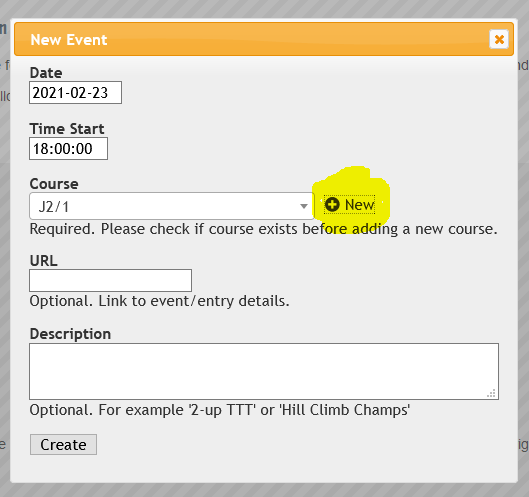
- From the Add Event Window click the ‘+ New’ button next to the segment list. Please ensure the course isn’t currently listed as this will help us keep a concise list of courses.
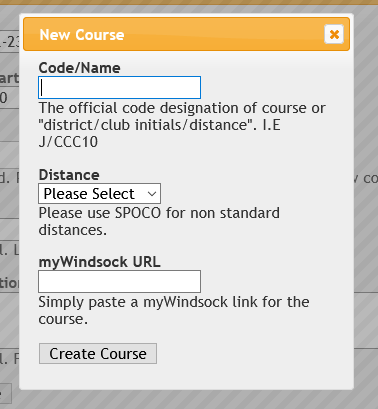
- The New Course box requires a name of the course. Please use the official designation or create a course code that uses a combination of the initials of the club and distance such as CCC/10.
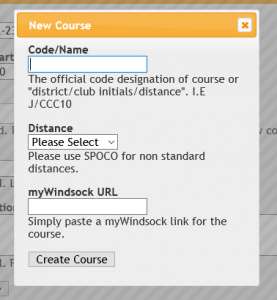
- Please select a distance. Select SPOCO if this is a non standard distance.
- Enter the URL for the course on myWindsock. Quick tip!: Swapping strava.com for mywindsock.com in the address bar will load the segment in myWindsock. Paste this address into the URL box.
- Click ‘Create Course’ and you are done.